


Cox
4.518.19K Reviews
App Specs
- Version
- 3.69.0.3827
- Updated On
- License
- Free
- Downloads
- 1,000,000+
- Developer
- Cox Communications, Inc.
- Categories
- Productivity
- Platform
- Android, iOS
Screenshots
 Analysis by AppCompare
I approached Cox as a practical account-management tool rather than something I would open for entertainment. Its job is straightforward: give Cox customers a dashboard view of important account and service information. That focus makes it useful in a very specific way. Instead of treating it like a general productivity suite, I see it as a companion for checking the status of a Cox relationship, handling routine account tasks, and getting oriented quickly when I need service information.
What I like most about this kind of app is the reduction in friction. When an internet, television, or phone account needs attention, I usually do not want to search through emails, remember a separate web address, or navigate a full desktop site on a small screen. A dedicated mobile dashboard can make those moments less annoying. My recommendation depends heavily on one condition, though: you need to be a Cox customer. If you are not, there is little reason to install it, because its value comes from access to your own Cox account and services.
How Cox feels in everyday use
When I use Cox, I think of it as a place to get my bearings before deciding what to do about an account or service question. Its value is less about replacing every other way of managing a provider relationship and more about making the first check feel direct on a phone. I’d look at how that focused role shapes its everyday usefulness, then weigh the trade-offs against a browser or support call.
A quick starting point for account information
The app sits in the productivity category, although I would describe it in everyday terms as a service-management app. That distinction matters. It is not designed to replace a notes app, calendar, office tool, or task manager. Its productivity value comes from helping me deal with a specific household responsibility without turning it into a larger project.
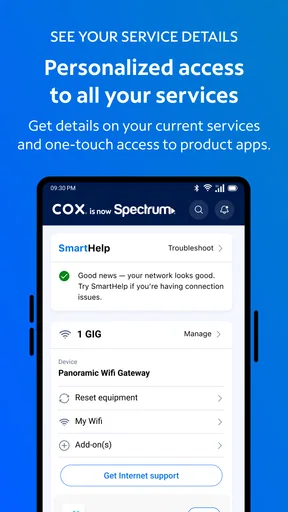
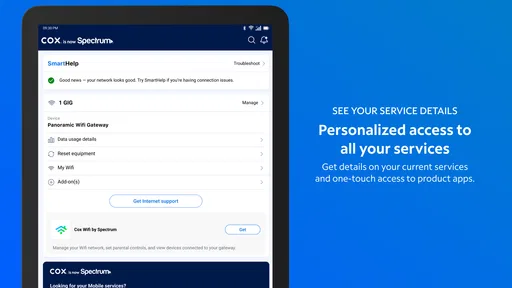
When I open an account dashboard, I expect the important information to be arranged in a way that lets me decide what to do next. That is the right mental model for Cox. I would use it when I want to check account details, review service-related information, or begin a routine account action from my phone. The dashboard approach is more useful than a collection of disconnected screens because it gives me a starting point instead of forcing me to guess where a particular detail might be stored.
In terms of perceived speed, the app benefits from having a narrower purpose than a broad customer portal. There is less reason for it to feel like a large content-heavy application. Still, the experience is not only about how quickly the interface appears. Account information has to load and remain current, so the useful part of the experience depends on both the app and the service connection behind it. I would judge it by how quickly it gets me from opening the app to understanding what needs attention, not simply by the first screen appearing.
A realistic household scenario
Imagine that I am leaving home for a few days and want to make sure I know where my Cox service information is before I go. I can open the app, use the dashboard as my reference point, and check the relevant account or service area without opening a laptop. If something looks wrong, the mobile format is more convenient than waiting until I am back at a desk. That is a small use case, but it is exactly where a focused account app earns its place.
Worth Reading Before You Choose

EA SPORTS FC Mobile 26 Is a Bigger Football Game, but It Takes Time

Flipboard Shows What News Apps Must Do Beyond the Feed

Switching to Android Auto Means Rethinking Your Driving Routine

Google Calendar Makes a Crowded Week Easier to Manage

Ludo King Makes the Most of the Minutes Between Plans

Baby Panda World Brings Quick Play to Modern Phones, but Its Game Library Feels Busy
Another practical situation is sharing responsibility for household services. One person may normally handle bills and service questions, while another needs to understand what is happening when the connection or television service requires attention. A dashboard can make that handoff easier because the information is gathered in one account-focused place. I would not expect it to solve every support problem, but it can make the first step clearer.
My tip is to open the app before an urgent issue occurs, while the account is not under pressure. That gives me a chance to understand the layout and identify where important service information appears. Learning the navigation during a calm moment is more useful than trying to explore it while guests are waiting for a working connection or while I am already frustrated.
What happens during heavier use
The app’s heavier moments are likely to be the times when I move beyond a quick glance and work through several account or service details in one session. That could happen when I am checking more than one part of a household account, reviewing information before contacting support, or trying to understand whether an issue is related to the service itself or to my account.
In those situations, a dashboard is helpful because it gives me context. I do not have to treat every screen as an isolated task. I can begin with the overall account view, inspect the relevant area, and return to the main view when I need to reorient myself. That structure is more comfortable than a generic browser page that may be harder to use with one hand.
There is also a trade-off. A focused dashboard can feel efficient when I already know what I need, but it may feel limited when I want a deeper explanation or a broader support experience. A full browser portal can sometimes be better for long-form account work because a larger screen gives more room for detail. I would use Cox for quick checks and mobile-first account handling, then switch to a browser when the task becomes unusually complex or when I need to compare several pieces of information at once.
For better performance, I would avoid repeatedly closing and reopening the app while moving between tasks. I would first return to the dashboard and use it as the central navigation point. That is a simple habit, but it reduces the feeling of being lost inside account screens and makes a longer session feel more deliberate.
Stability and recovering from interruptions
Reliability is especially important in a service-management app because people often open it when something already feels uncertain. If my connection is unstable, I may be using mobile data, a weak Wi-Fi signal, or a device that has been busy with other apps. In that context, the app needs to be easy to understand even when the session does not go perfectly.
I would treat the dashboard as the recovery point. If a page takes longer than expected or an account area does not immediately show what I need, returning to the main view and trying again is more sensible than repeatedly tapping the same control. This is not a glamorous feature, but it is a useful workflow: use the central account view to reset my orientation, then continue with one task at a time.
A second recovery habit is to distinguish between an app problem and a service problem. If the account screen opens but the underlying Cox service is experiencing trouble, changing screens may not solve anything. Conversely, if the rest of my phone works normally and only the app feels unresponsive, restarting the app may be a reasonable first step. The app is valuable for organizing service information, but it cannot make every network or account issue disappear.
I also prefer not to make important decisions based on a single momentary screen. If I am checking information during a poor connection, I would give the app time to refresh and then verify the same area again after returning to the dashboard. That approach avoids confusing a temporary loading issue with a lasting account change.
Resource demands and device fit
Cox is available for devices running Android 8.0 or later, which makes its compatibility reasonably broad for people using supported Android phones and tablets. The current version is 3.69.0.3827. I would still check the operating system on an older device before planning to rely on it, especially if that device is kept as a backup for emergencies.
For ordinary use, this is the sort of app I would expect to fit naturally into a phone’s productivity folder rather than dominate the device. Its purpose is account access, not constant media playback or intensive creation work. That makes it a sensible match for a modest everyday device, provided the operating system is supported and the phone has enough general capacity to run current apps comfortably.
Older hardware can still introduce friction even when an app technically installs. Switching between the account dashboard and other apps may feel less fluid, and returning to Cox after a long pause may require the session to reload. I would not interpret every delay as a flaw in the app itself; the phone, connection, and account session can all affect the experience. My practical advice is to keep the device’s operating system current when possible and avoid relying on an aging phone as the only way to manage an important service account.
On a larger tablet, the app may be convenient for people who prefer more space, but the core value remains the same: quick access to Cox account and service information. It is not a reason by itself to buy a larger device. On a small phone, the focused purpose may actually feel more natural because the app is being used for short, specific sessions rather than extended reading.
Where it beats the usual alternatives
The usual alternative is a mobile browser. A browser is more flexible and can be useful when I need the complete Cox website experience, but it also introduces extra steps. I have to open the browser, find the correct page, sign in through the web interface, and work with a layout that may not feel designed around the phone in my hand. Cox has the advantage when I want a dedicated place for account information and a repeatable mobile routine.
Another alternative is contacting customer support immediately. That can make sense for a complicated technical problem, but it is excessive for a simple account check. I would rather look at the dashboard first, gather the relevant information, and then decide whether a support conversation is necessary. This can make the eventual conversation more focused because I am not starting with a vague description of the issue.
The app is also preferable to keeping scattered screenshots or old emails as my main reference. Those materials can become outdated, while an account dashboard is intended to bring service information together in one place. I would not use screenshots as a substitute for current account information, especially when the status of a service matters.
However, the browser remains the better choice for someone who dislikes installing provider-specific apps, manages several unrelated services from one place, or prefers a full desktop-style view. A general password manager may also be more useful for organizing access across many providers, though it does not replace the Cox dashboard’s account context. In my view, Cox works best alongside those tools, not as a universal replacement for them.
Who should use it and who should skip it
I would recommend Cox to current Cox customers who want a mobile way to keep account and service information close at hand. It is particularly suitable for people who handle household connectivity, need occasional access while away from a computer, or prefer a dedicated app over a browser tab. It can also help less technical family members begin with a clear account view instead of searching through a large website.
I would be more cautious if my needs are mainly technical troubleshooting, detailed service research, or long account sessions on a large screen. In those cases, a browser or direct support route may be more efficient. I would also skip it if I am not a Cox customer, because the app’s usefulness is tied to that provider relationship rather than to general productivity.
The age rating is Everyone, and the app is free, which removes two common barriers for households deciding whether to try it. Cox Communications, Inc. is the developer. Those details make it easy to consider as a practical account companion, but they do not change the central question: will I regularly need mobile access to Cox information? If the answer is no, installing it may simply add another app I rarely open.
What the public response suggests
The app has a 4.5 average from around 164 thousand ratings, with roughly 18 thousand written reviews, and it has passed one million installs. I see that as a strong sign that the basic concept is useful to a substantial number of Cox customers. It does not guarantee that every account situation will feel smooth, but it does suggest that this is an established tool rather than an obscure experiment.
I would read those figures in the right context. Account apps are judged during very different moments: a calm information check, a billing question, a service interruption, or a login problem. Someone may find the dashboard perfectly useful during normal conditions but become much less satisfied when an urgent issue requires deeper help. That is why I would not treat the average rating as a promise of flawless support. I would treat it as evidence that the app generally serves its intended routine purpose for many users.
My performance verdict
After looking at the way this app fits into real mobile routines, I see its main strength as focused access. Cox does not need to be a large, feature-packed productivity tool. It needs to help me reach important account and service information without unnecessary wandering. For that job, the dashboard concept is sensible, and the dedicated mobile format is more convenient than repeatedly rebuilding the same browser workflow.
Its limitations are equally clear. It is provider-specific, so its usefulness disappears for non-customers. It is not the best environment for every complicated account task, and it cannot guarantee that a network or service problem will be resolved from the phone. On older devices or unreliable connections, recovery may require patience and a return to the main dashboard rather than rapid repeated actions.
My final view is positive but practical. I would install Cox if I were responsible for a Cox household account and wanted a quick mobile reference for service information. I would keep a browser available for detailed work and direct support for problems that need human assistance. Used that way, the app earns its place as a focused account-management tool: free, accessible to supported Android devices, and most valuable when I need clarity about my Cox services without sitting at a computer.
Pros
- Reliable cable
- internet
- and phone services in many U.S. areas.
- The Cox app makes bill payments and account management convenient.
- Users can monitor data usage and manage connected devices remotely.
- Flexible plan options can suit different household streaming needs.
- Cox offers equipment support and troubleshooting through its service channels.
Cons
- Availability is limited to selected regions rather than nationwide coverage.
- Promotional prices may increase noticeably after the initial contract period.
- Some plans may include data limits or additional charges for heavy usage.
- Internet performance can vary depending on local network congestion.
- Certain features and support options may require a Cox account or subscription.
FAQs for Cox
What is the Cox app used for?
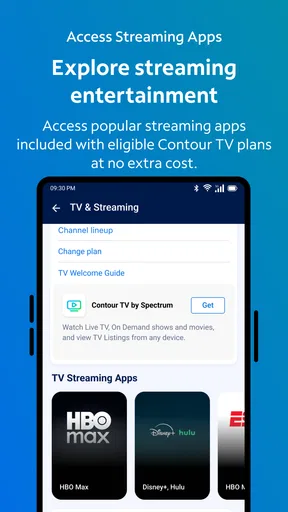
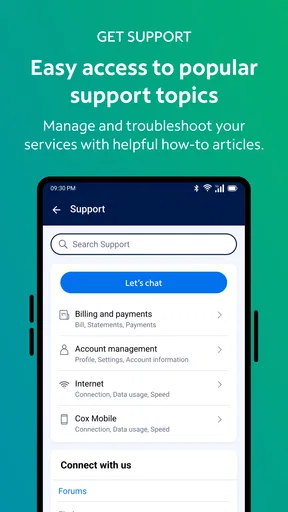
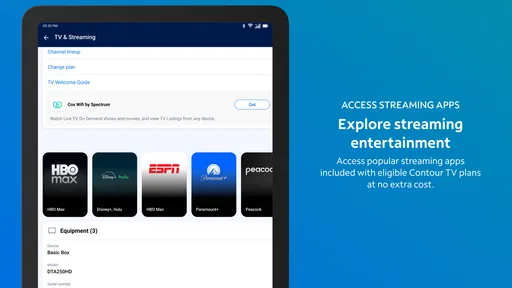
The Cox app is designed for Cox customers who want to manage their internet, TV, phone, and other services from a mobile device. After signing in, you can review your account, check or pay your bill, view service details, monitor certain internet activity, troubleshoot common issues, and contact support. The exact tools available may vary depending on your Cox plan, location, and account type.
Can I pay my Cox bill and manage my account through the app?
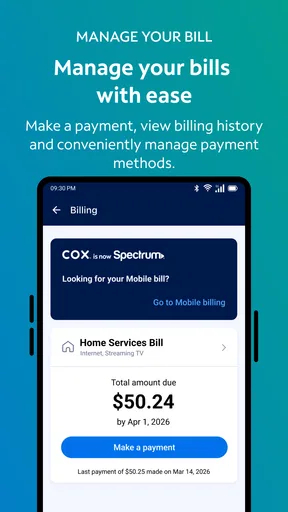
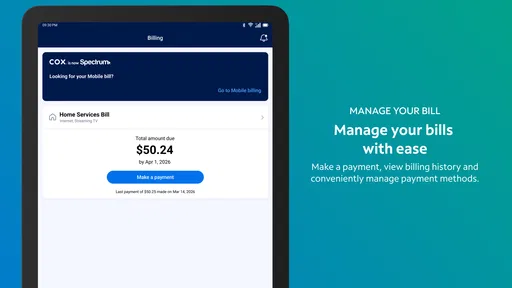
Yes. The app generally allows customers to view their current balance, check billing details, make a one-time payment, and manage payment methods. Some users may also be able to enroll in automatic payments or review previous statements. You will need valid Cox account credentials, and certain account changes may still require verification or may only be available through the Cox website or customer service.
Does the Cox app help troubleshoot internet or service problems?
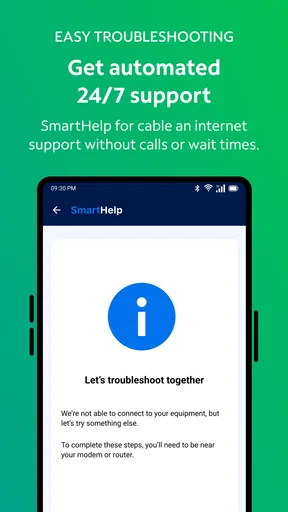
The app includes tools intended to help diagnose and resolve common Cox service issues. Depending on your equipment and subscription, it may let you check for outages, restart or troubleshoot compatible devices, review connection information, and request technical assistance. These features are useful for basic problems, but they cannot fix every issue. More complicated wiring, equipment, or account problems may require a technician.
Can I manage my home Wi-Fi and connected devices with the Cox app?
For eligible Cox internet customers, the app may provide access to Wi-Fi management features such as viewing the network name, changing the password, checking connected devices, and using parental or security controls. Availability depends on your modem, gateway, plan, and the specific Cox services included in your account. Some advanced functions may require a compatible Cox gateway or a separate Cox service.
Is the Cox app free, and what devices are compatible with it?
The Cox app is typically free to download, but many of its features require an active Cox account and subscription. It is intended for supported Android and iOS smartphones or tablets, although compatibility can depend on the operating-system version and device model. You should install the official app published by Cox, keep your operating system updated, and use a secure connection when signing in or managing billing information.


